
Before a camera arrives, settle what the video needs to say and who it is for. A doctor introduction, a service explanation and a practice tour need different preparation. Making those decisions early gives your team something useful to work toward.
This checklist covers the questions to resolve with the person planning your shoot. The shoot, travel, edits, revisions and usage rights should be confirmed for your project before production begins.
Give each video one clear job
Start with where the video will appear. Is it for a practice website, a social feed or an advertising destination? Then decide what someone should understand after watching and what they can do next.
For a doctor introduction, that might mean learning who they will meet and how to contact the practice. A service explanation may answer a question the front desk hears regularly. A tour can help someone recognize the setting before arriving.
Write that job in a sentence. Use it to choose the subjects, people and footage you need. It is easier to plan a useful interview when everyone knows what the finished piece should explain.
Choose people who fit the message
Agree on who will appear and check that they are available during the planned window. Give each person enough context to understand the purpose of their part.
A doctor can explain a service or introduce their approach. A team member can describe what happens when someone calls or arrives. Give each person a question they can answer clearly in their normal words.
The Power Orthodontics work pairs a doctor portrait with team photography. The Stuart Dental Spa work includes a doctor-led video opening. Each makes a different choice about how to introduce the people behind the practice.
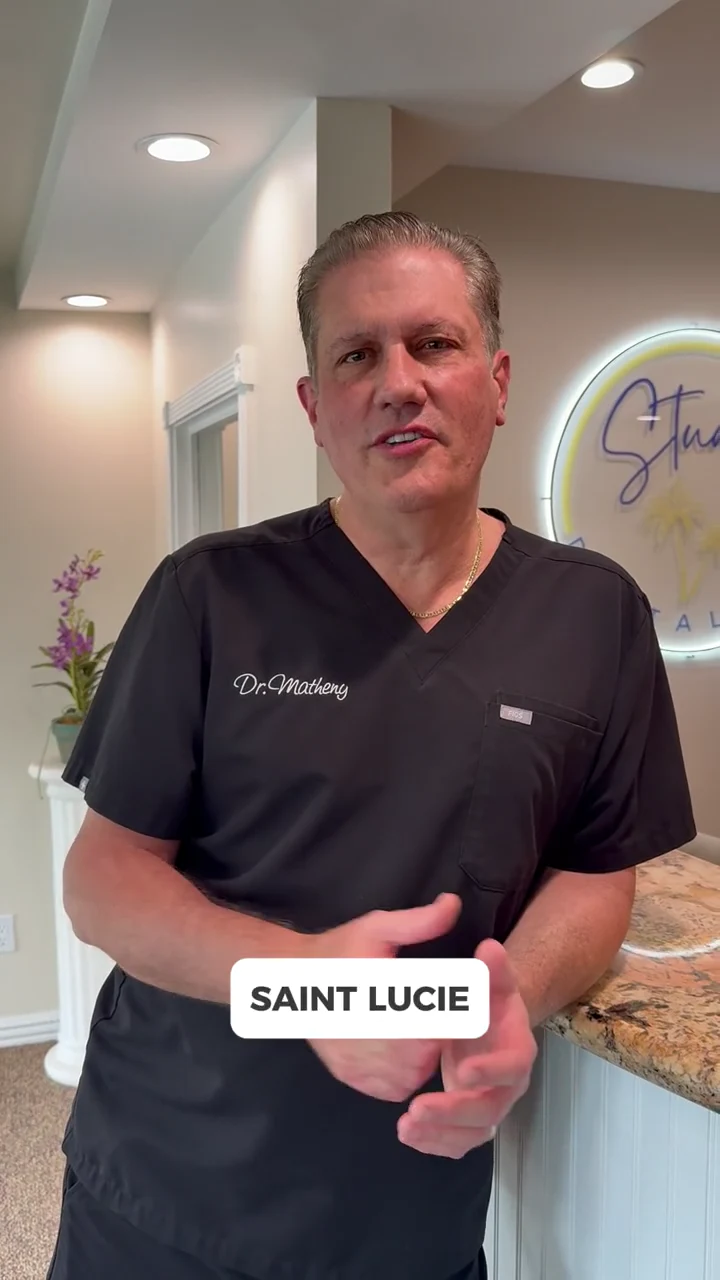
Prepare prompts, then leave room for a normal answer
For interview footage, a few useful questions can be easier to work with than a paragraph someone has to memorize. Possible prompts include:
- What should someone expect when they first contact the practice?
- What question does the team hear about this service?
- What would help a new patient understand their next step?
Review the subject with the speaker beforehand. Clinical details and claims need the practice's review. If an answer depends on an individual consultation, the wording should make that clear.
Keep names, service terminology and any current offer details handy. A speaker can sound natural while still working from agreed facts.
Plan rooms and protect the working day
Choose the spaces you want to show and walk through them before the shoot. Think about what the viewer will see behind the speaker as well as the person in front of the camera.
Check screens, paperwork, appointment boards and other surfaces for information that should not appear. Arrange participation and permissions with the practice in advance. Patient stories need a separate discussion about who is involved, what is recorded and where it may be used.
Agree on a workable filming window so the team can keep patient care moving. Name one practice contact who can help with room access, staff availability and questions on the day. Flag spaces that may become noisy or unavailable.
Check sound as carefully as the picture
A room can look right and still make an interview difficult. Listen for music, equipment, nearby conversations and interruptions. Let the production team know about sounds that cannot be paused or avoided.
Set aside a quiet place for the planned talking segments. Keep the people who need to be involved informed, so the room is not unexpectedly needed halfway through an answer.
The aim is a clear, comfortable explanation. The production approach and equipment should follow the space and the agreed scope.
Agree on formats before filming
Tell the production team where you expect to use the finished material. Vertical, feed and website placements can need different framing, crops and text treatment.
Work out those needs before the camera is positioned. Consider faces near the edge of a group, room details that matter and space for captions or approved graphics. Confirm which versions and edits the project will include before the shoot.
Our dental Facebook ad examples show how a doctor-led video, a doctor introduction and a team ad can serve different purposes. Use the purpose of your own piece to decide what footage you need.
Set up the review and handoff
Choose who will gather the practice's feedback and who approves the finished work. Agree on how edits and revisions will be handled before production.
When reviewing, check names, roles, captions, contact details and any service or offer wording. Watch the intended phone-sized version as well as the larger preview. Look at the destination linked from an ad or video, too: it should continue the same message and give someone a clear next step.
Before the shoot, your team should be able to confirm:
- The audience, purpose and intended use of each piece.
- The people, rooms and timing that have been agreed.
- The facts and messages that need practice approval.
- The planned formats, editing scope and usage rights.
- The person responsible for feedback and final approval.
Filming is quoted by project through our video and content service. Current website and marketing options are explained on the packages page. A clear brief helps us work out which production scope makes sense for your practice.